Wednesday, 29 December 2010

the background image

This is probably the most important part of the sketch - the background image. It is important that I get this to be iconographic to Nike, as it is part of the brief. I have made several variations of it to make sure I get a good one.

#1


On this one I added a semi-opatic gold fill over the top, with a screen blend mode. It gives the shoe more prominence, but wasn't quite there yet

#2


For this one I asked a few people if the font used for magic was appropriate and they said no, so I went online to dafont and found this nice font called Lobster, which I think works really well.

#3


In this version I changed the white gradient behind the shoe to a golden one, using a colour from the shoe as the base colour. I think that using gold as the gradient looks better than in version 1, and it also highlights the shoe's golden element. I also removed the 'NIKE' part as it is pretty obvious that it is a Nike product because of the ticks and it was proving to be excess graphics to look at.

#4


There isn't much different in this version apart from that I have added an inner shadow to the shoe. It gives it more depth and makes it look like the shadow is cast from the gradient behind it.

Friday, 24 December 2010

more progress

After spending some more time on the sketch, I decided to spice things up a bit. After thinking about making mist particles I have now adapted that into my previous motion particles. When detecting movement the particles now both move and fade away (with a little bit of help from Seb, mind!) I have also improved on the background image:

Sunday, 19 December 2010

early development

So far I have now implemented a pciture of the show and golden spheres as particles, I'm having an issue with the placement (lots of empty space above and to the left), but the rest works fine!

Friday, 17 December 2010

getting started with the code

After spending some time generating my idea I have now gotten to work on the code. I have taken the basis of an example Seb made, where particles on the screen move when movement is detected by the camera.

One of my first changes was to make the particles into an image I wanted. One of my ideas was to cover the screen in images, with Processing choosing a random number of different images to display, making it look less uniform. After a bit of searching on the web I came across some code on a Processing forum (here) which allowed me to do this:

// DECLARE YOUR GLOBAL VARIABLES HERE.
PImage fragment;
int rand;

void setup() {
size(800, 600);
rand = int(random(0,4)); //HERE YOU CHOOSE BETWEEN 10 DIFFERENT IMAGES
takerandomimage("frag_" + nf(rand, 3) + ".jpg"); //CALL YOUR FUNCTION 'takerandomimage'
//REMEMBER TO NAME YOUR IMAGES "frag_000.jpg"
}
// THIS IS THE FUNCTION
void takerandomimage(String fn) {
fragment = loadImage(fn); //LOAD RANDOM IMAGE
image(fragment,0,0);//DISPLAY RANDOM IMAGE
}


However, applying this code into my sketch makes it run very slowly, not a particularly desirable result!

Therefore I will continue working with just one image to duplicate over the screen.

Saturday, 11 December 2010

idea development: shapes

As part of my 'object reveal' idea, I have to decide on what the shapes covering the shoe are going to be. They have to be something related to Nike.

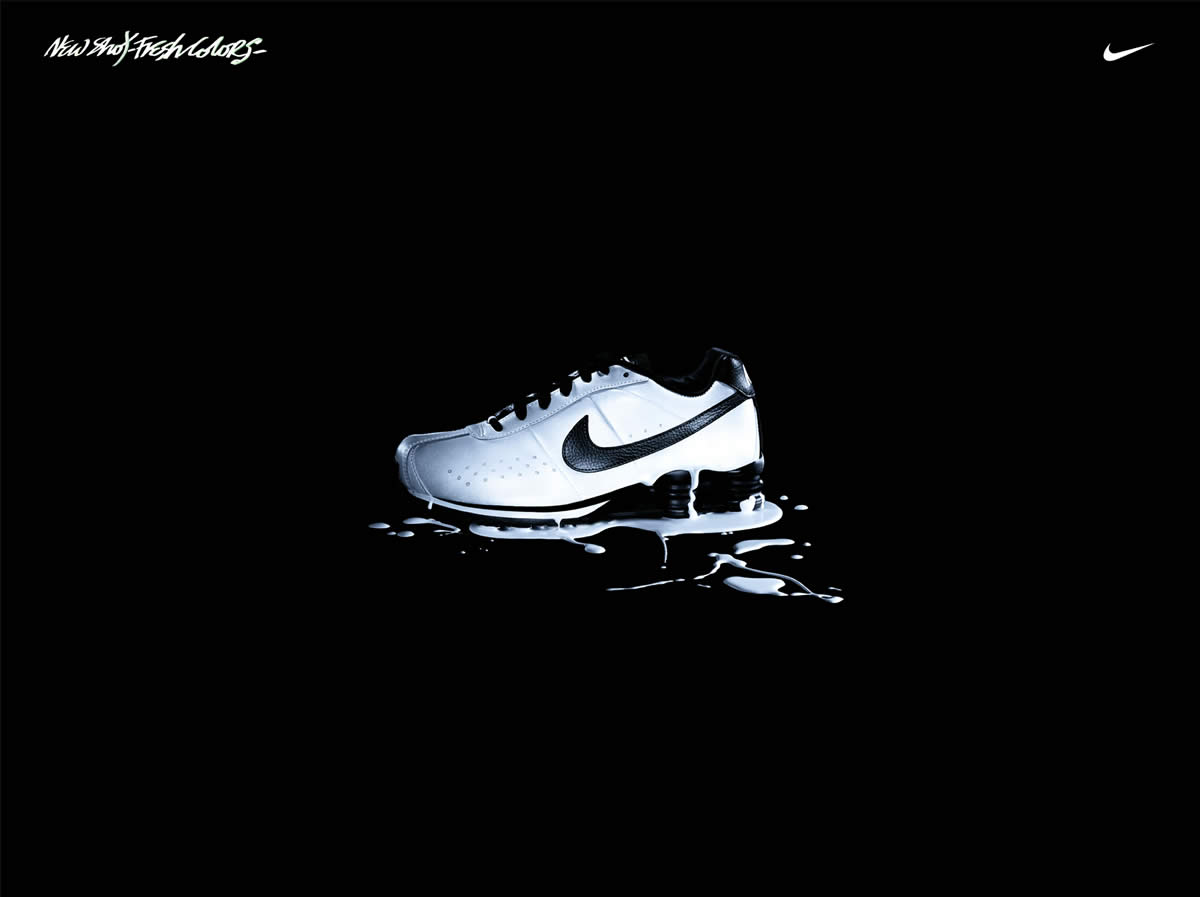
So far, by researching existing Nike adverts, they tend to have black backgrounds, and then bright colours in the center and white text (if there is any). So I would put a bright gradient behind the shoe to make it stand out.

The shoes mainly face to the left, something that can easily be implemented.

As for the shapes I will be deliberating over how to go about them. At the moment though I think they will probably be the same colour as the shoe, to keep a bit of continuity.

However they don't have to be shapes, the covering object could just be a misty gradient of multiple colours, with slight transparency, so you can see that there is something beneath it, and when someone walks past the mist is blown away, revealing the shoe

Friday, 10 December 2010

nike research

I have been looking at existing Nike print adverts and I have noticed that they tend to feature mainly black backgrounds, then bright colours surround the image of the shoe, making it stand out and give it extra emphasis. Here are a few examples (click to enlarge):


Wednesday, 8 December 2010

research: existing interactive displays

Shape Stamping


In this floor projection example, people are encouraged to stamp on the shapes. The camera pans up to the projection source. The way this camera set-up works is that they have the projector placed next to a sensor, which detects where the movement is, and tells the computer accordingly, as explained here

iBar


This is a very clever installation, when someone places an object on the bar it's position is found by the computer and is highlighted by light around it. When someone slides an object down the bar the light follows the object and creates a bolt of light down the bar.

I would guess that this is a very different set-up to what I will be doing, but the principles are similar to something I could create. By telling the computer to, when it detects an object, create an image or particles in the position of that object.

Monday, 6 December 2010

idea: object reveal

My idea thus far is to have an object reveal. This means that there will be a screen filled with objects (something related to Nike) and when a person walks past the camera will detect movement and send the objects flying away. This will reveal a fixed image beneath advertising the shoe.

I have created an animatic based on an earlier idea of incorporating magic into the shapes, but after a discussion with Sue and Seb we thought it best not to take that approach, but to go with something more distinguishable to Nike.

Saturday, 4 December 2010

research: existing interactive displays

Interactive Apple Store


In this example there are a series of paused movie clips and when movement is detected they start playing, which grabs the attention of the person walking past

Interactive Nike Display


In this example a Nike product is revealed when people walk past the display, the shoe is underneath some shapes and when movement is detected the shapes are blown away to reveal the shoe. Which is a shame because this is exactly the same as the idea I had for this project!

Friday, 3 December 2010

research: lumin vision

LuminVision are
creators and suppliers of innovative Audio-Visual Effects such as the ADVIS Interactive Floor Projection System.
They have many examples of interactive installations, as shown on their gallery page.

One particular video that caught my eye was number 12 "Object Reveal", which I think would be good to use for this project, with the shoe being the reveal object.

Wednesday, 1 December 2010

research: existing interactive displays

Interactive football floor display


In this example the projection detects movement and when that movement 'meets' the ball it flies off in the opposite direction, a simple concept but no doubt extremely difficult to execute!

Interactive Shark Reef Display


This example again detects movement and ripples the images beneath it. Perhaps, when movement is detected, a ripple/distortion filter is applied to give that disruption effect?